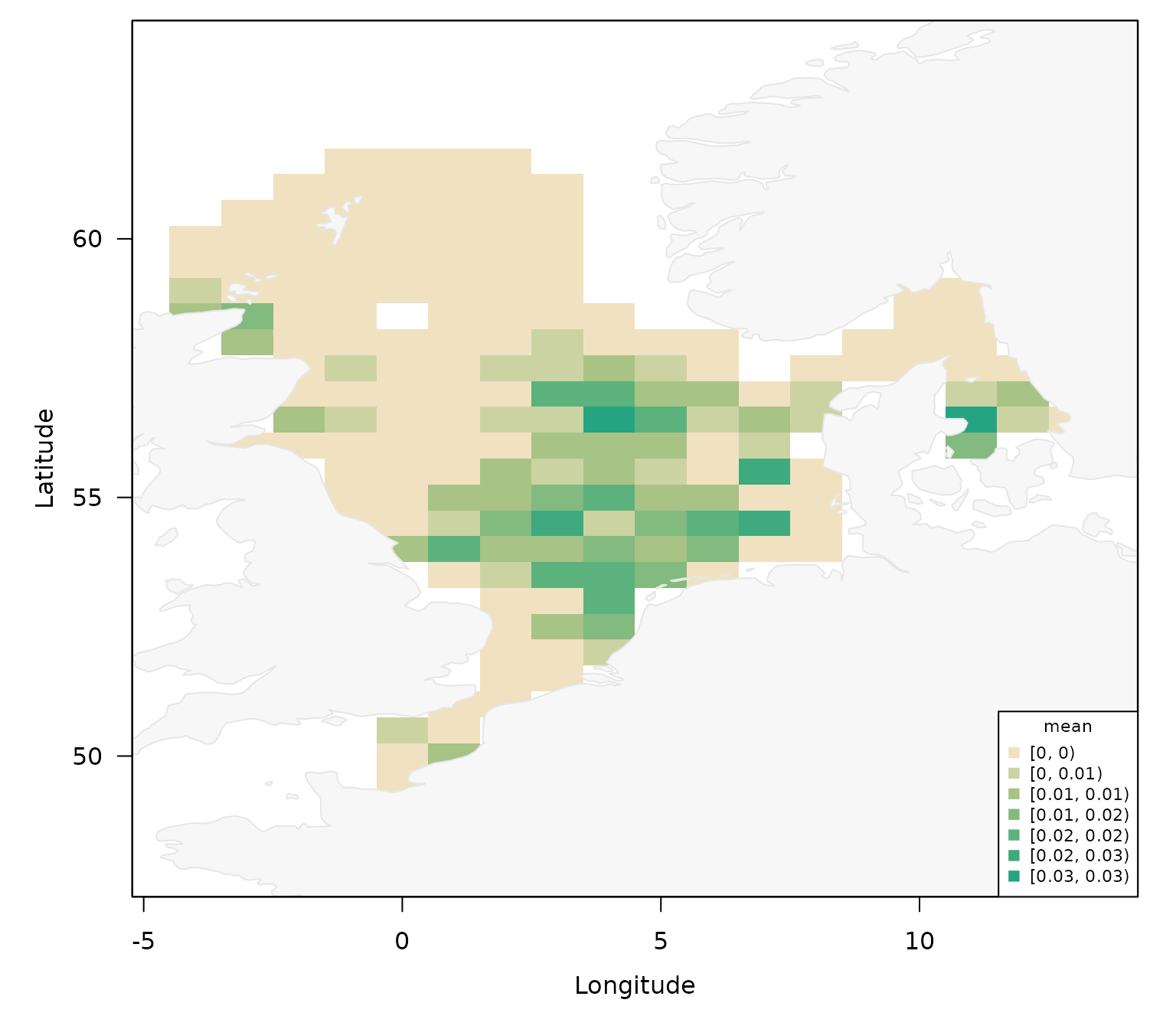
Plotting DATRAS overviews
Source:vignettes/articles/plot-datras-overview.Rmd
plot-datras-overview.RmdOverview
This vignette demonstrates the unified plotting function
plot_datras_overview(). The function allows to generate a
quick overview of all haul locations in DATRAS or number of hauls per
ICES Statistical Rectangle, but also allows to generate more complicated
maps of any variables (and offset variable) by haul location in a point
plot or gridded plot of a specific data set. Specifically, the function
supports:
- point maps (
mode = "points") - gridded maps (
mode = "grid") - multiple grid metrics (
presence,count_hauls,count_surveys,sum,mean) - grouping and faceting (
by_survey,by_gear,by_quarter,multi_panels) - raw or StatRec spatial basis (
spatial_basis = "raw"or"statrec") - value/offset/transform workflows for quantitative overlays
Load the package with:
Quick Start
If no object is supplied (x = NULL), the function uses
package survey overview data, which contains all surveys and hauls in
DATRAS:
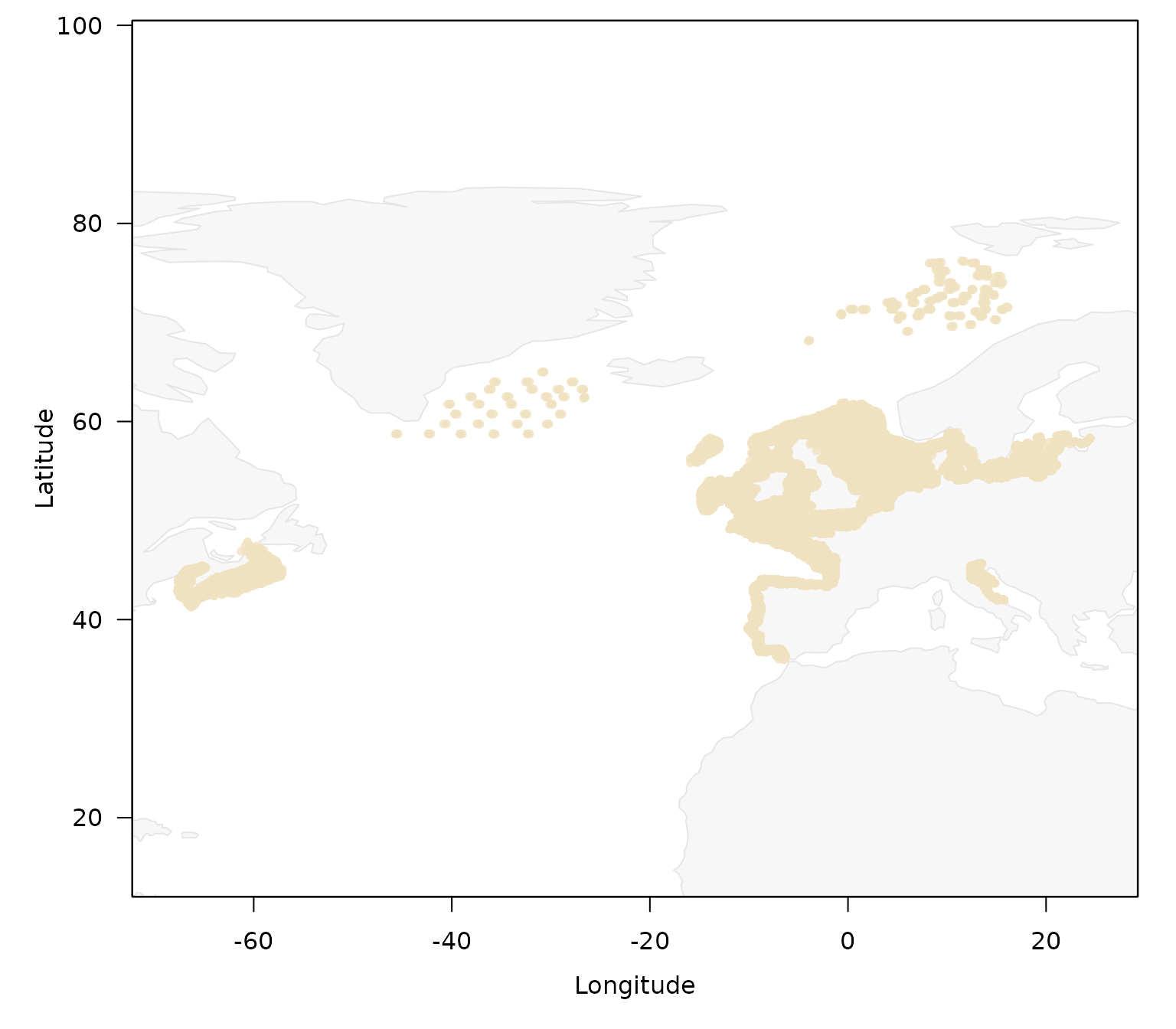
To get an overview over the surveys:
plot_datras_overview(by_survey = TRUE)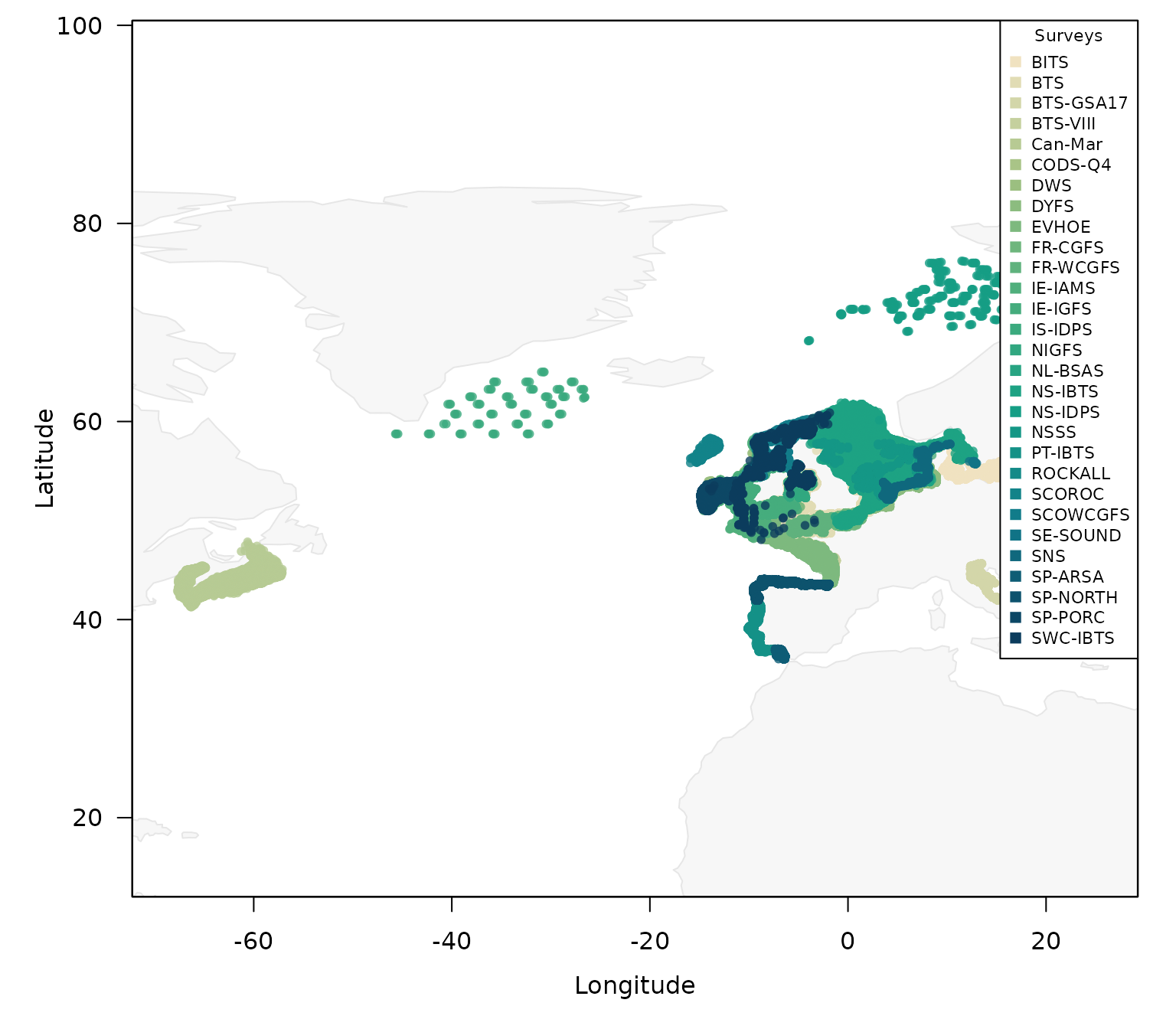
If the legend is in the way, the multiple different control arguments can be used to place and modify the legend:
plot_datras_overview(by_survey = TRUE,
                     legend_ncol = 6,
                     legend_pos = "bottom",
                     legend_cex = 0.8)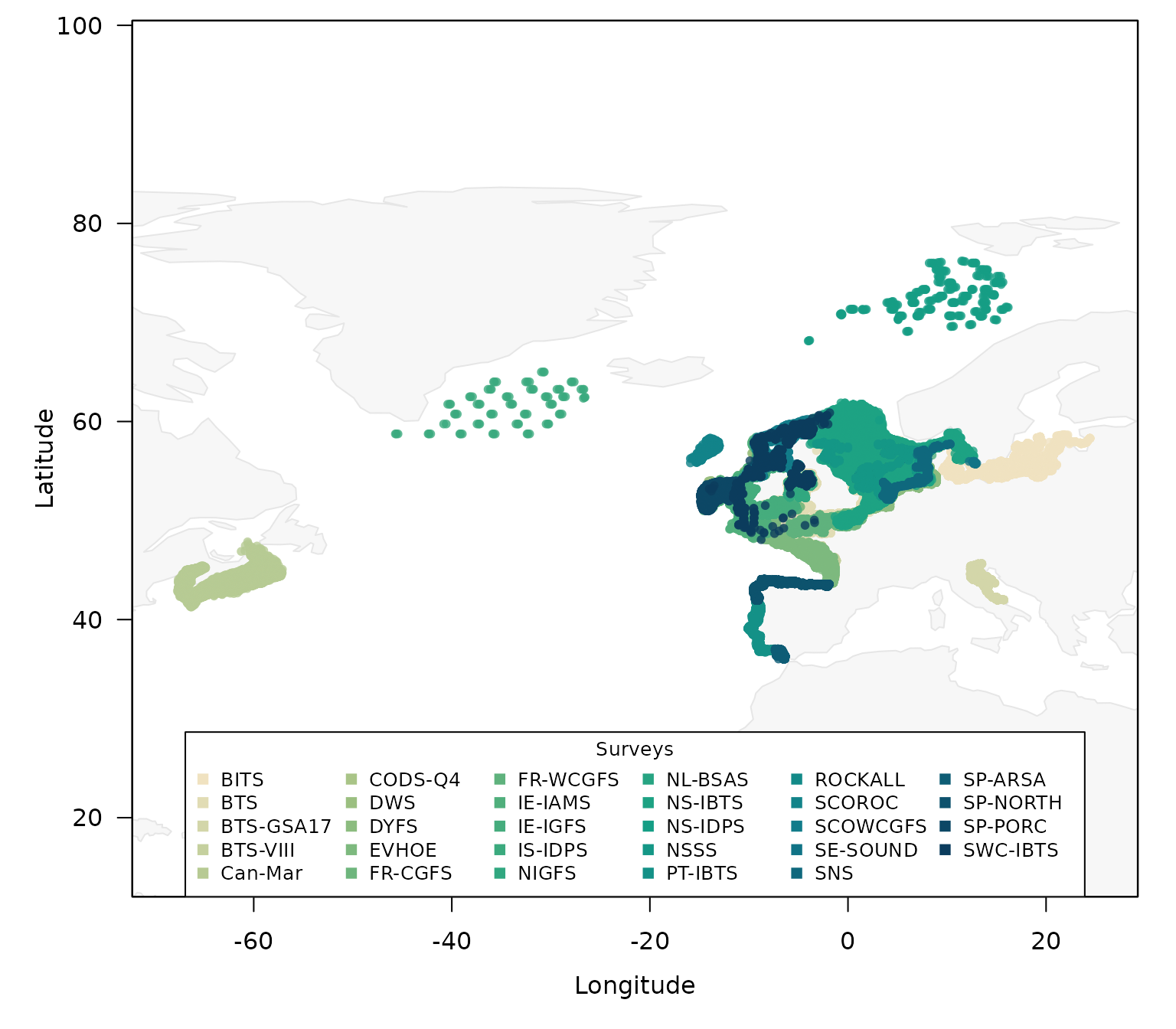
With so many surveys and repeating colours, it might be easier to plot the surveys in separate panels:
plot_datras_overview(by_survey = TRUE,
                     multi_panels = TRUE)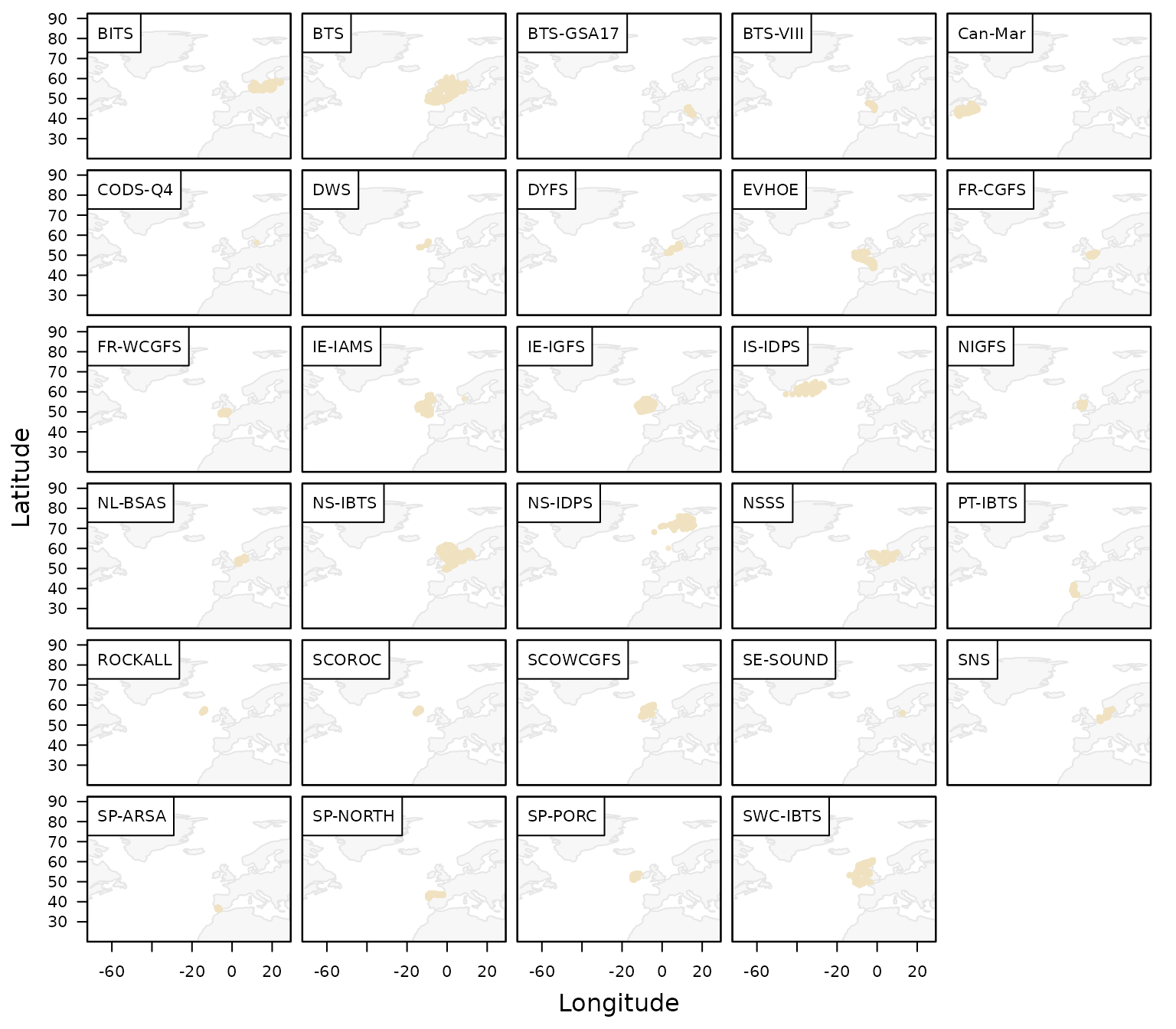
Besides the general overview over all surveys, the function also
allows to create a visual overview of a specific data set, using for
example the mini data set of DATRASextra:
plot_datras_overview(mini)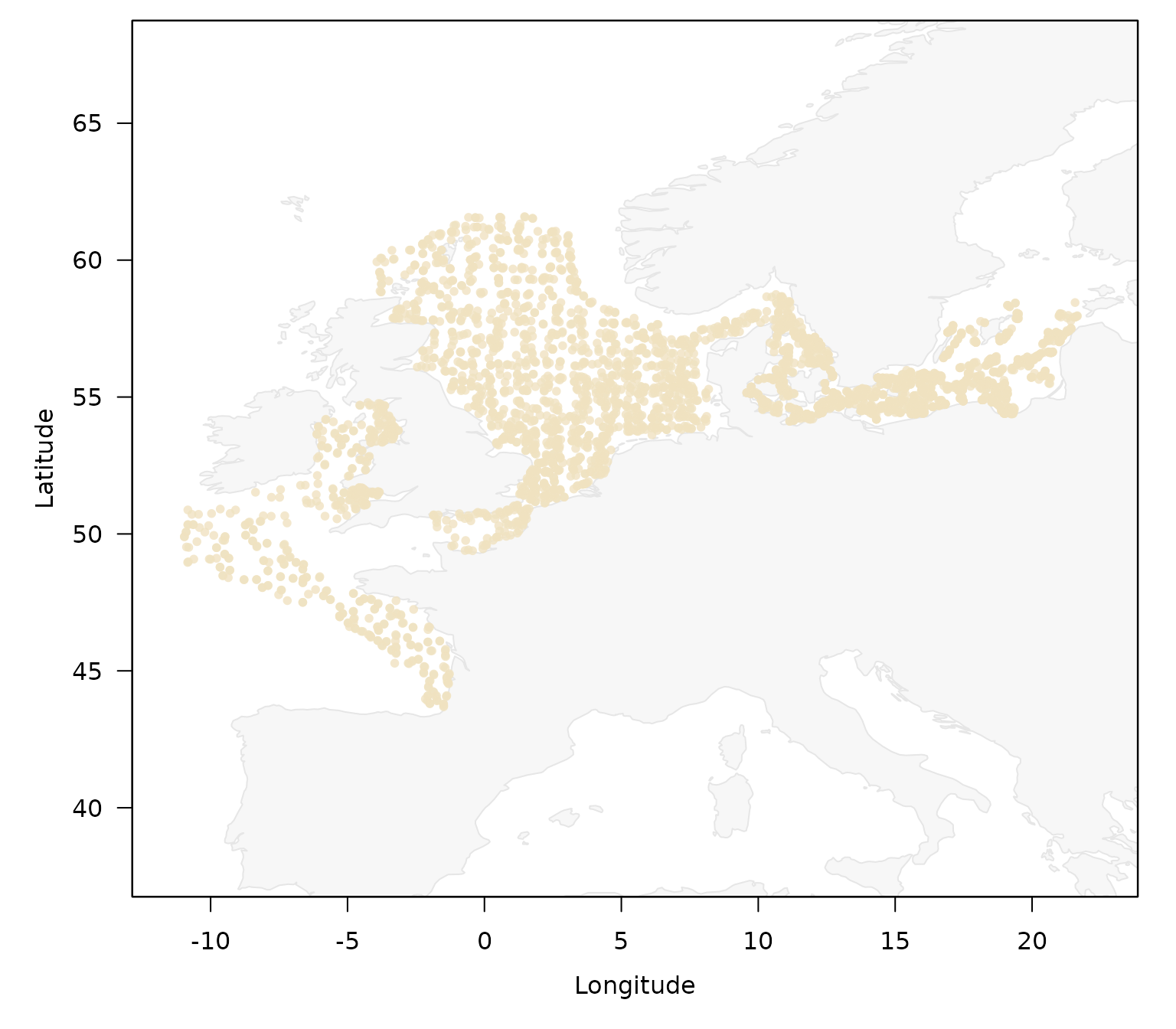
Aggregate by
Besides surveys, the function allows to quickly create a comparison between gears:
plot_datras_overview(mini, by_gear = TRUE)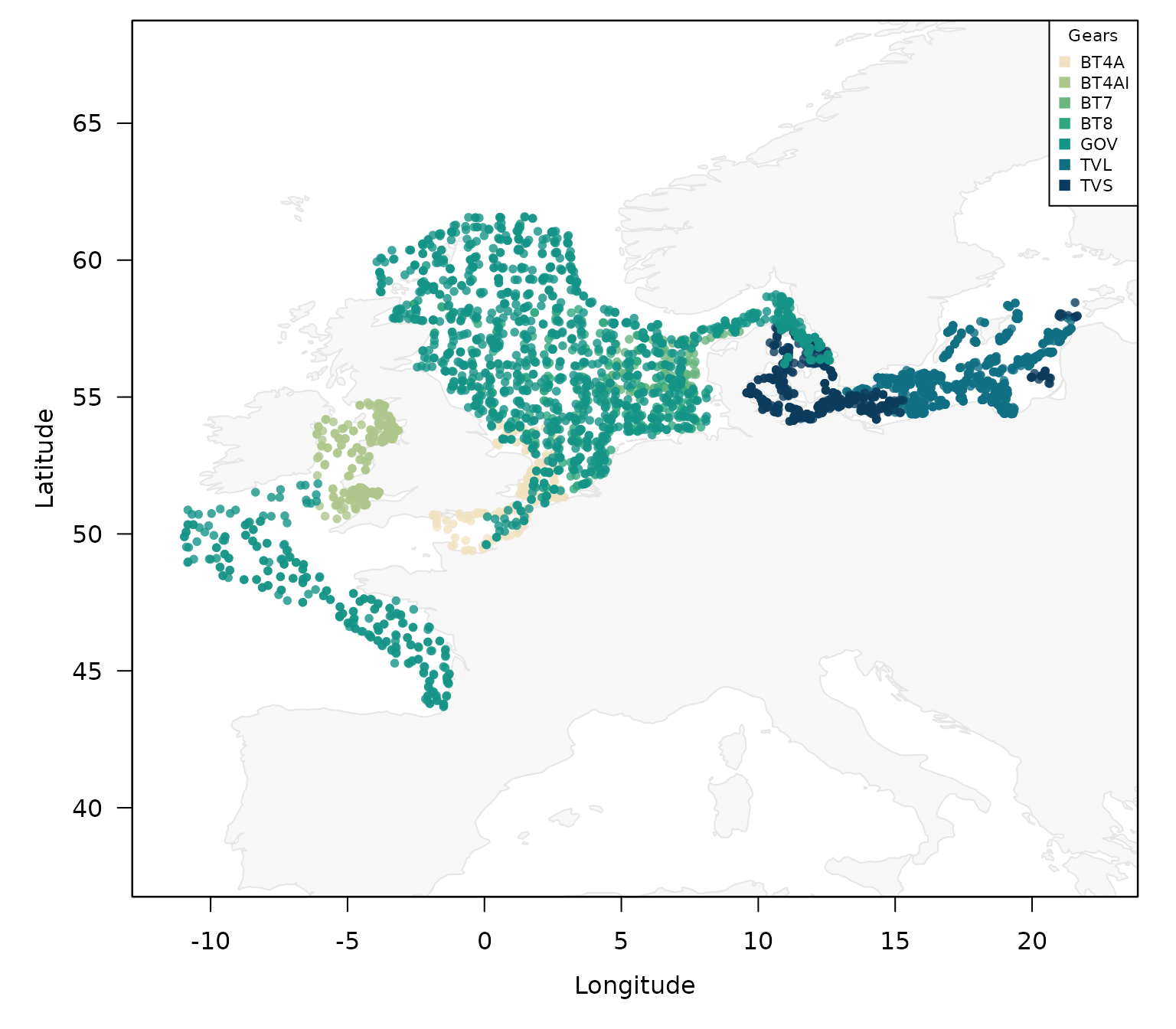
by quarter:
plot_datras_overview(mini, by_quarter = TRUE)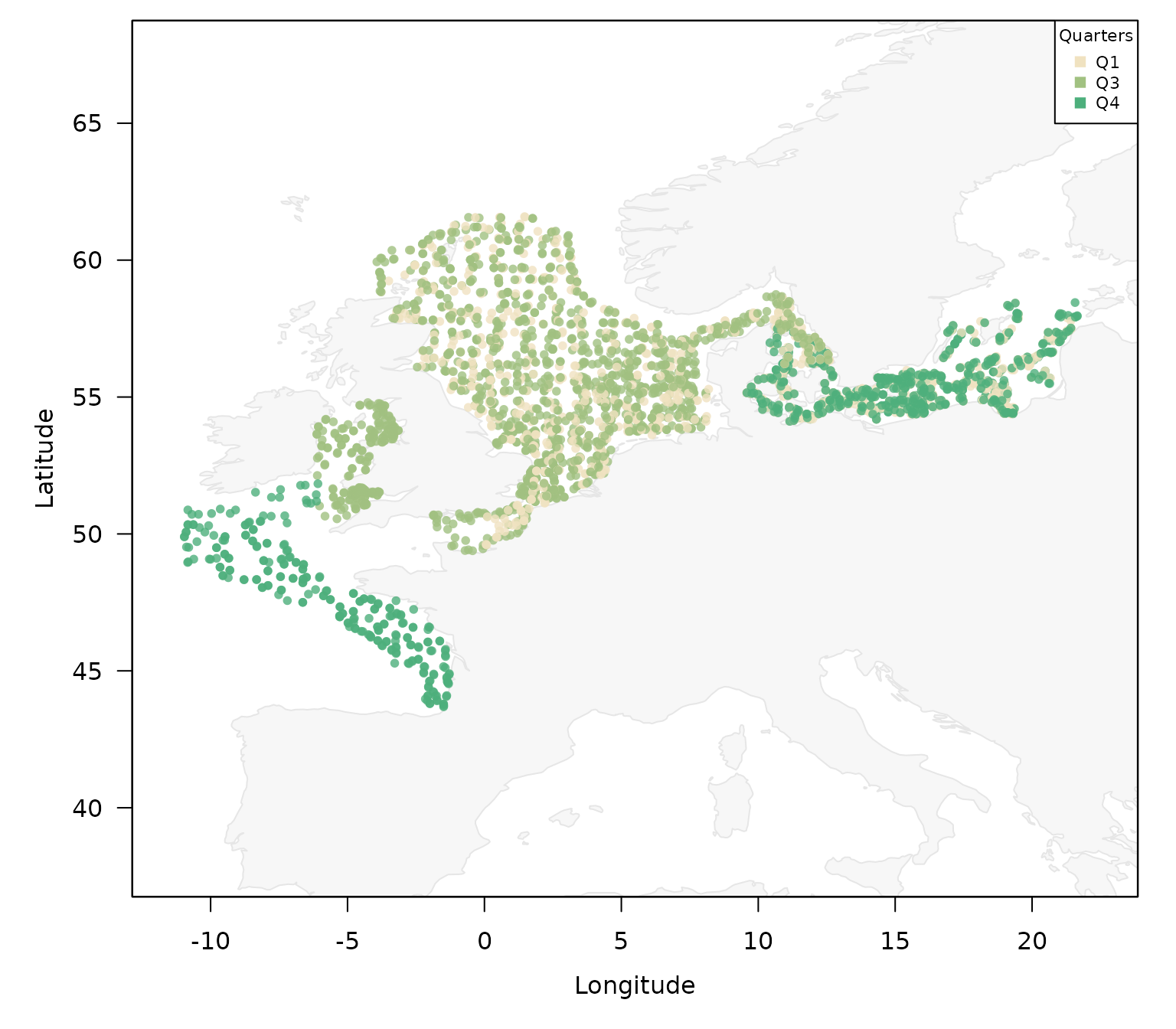
by year:
plot_datras_overview(mini, by_year = TRUE)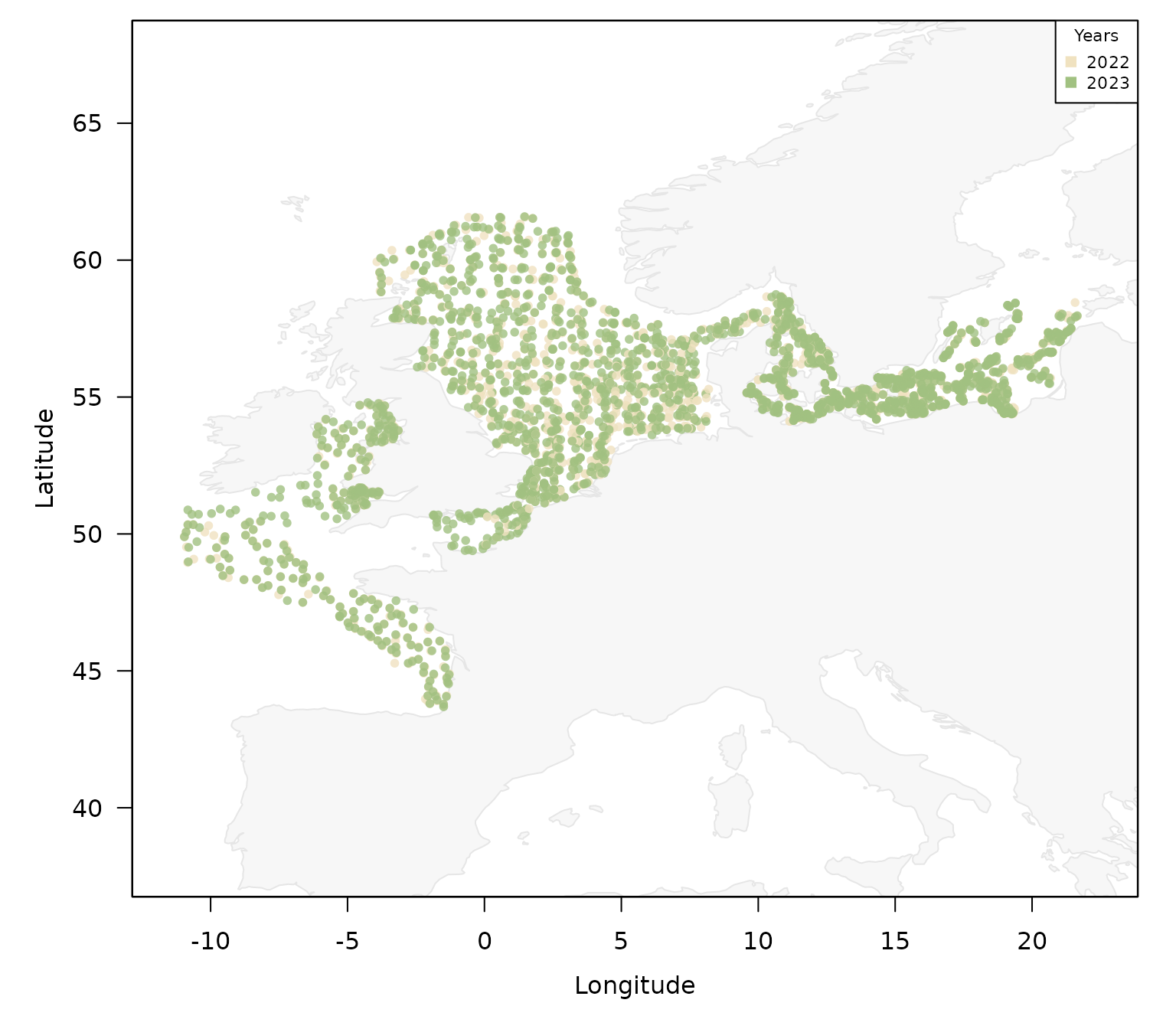
or day and night:
plot_datras_overview(mini, by_daynight = TRUE)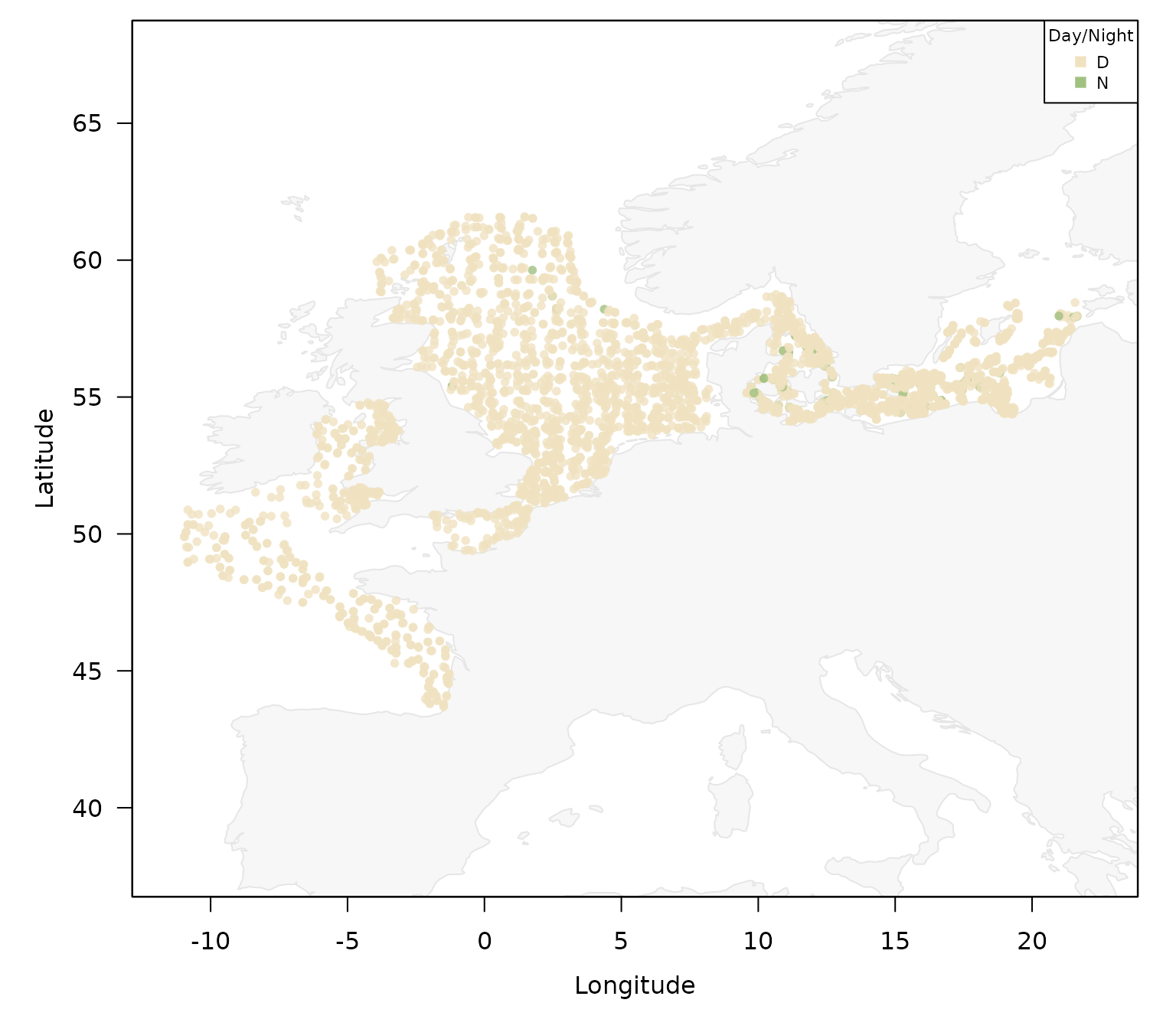
or any combination of them:
plot_datras_overview(mini,
                     by_gear = TRUE,
                     by_survey = TRUE)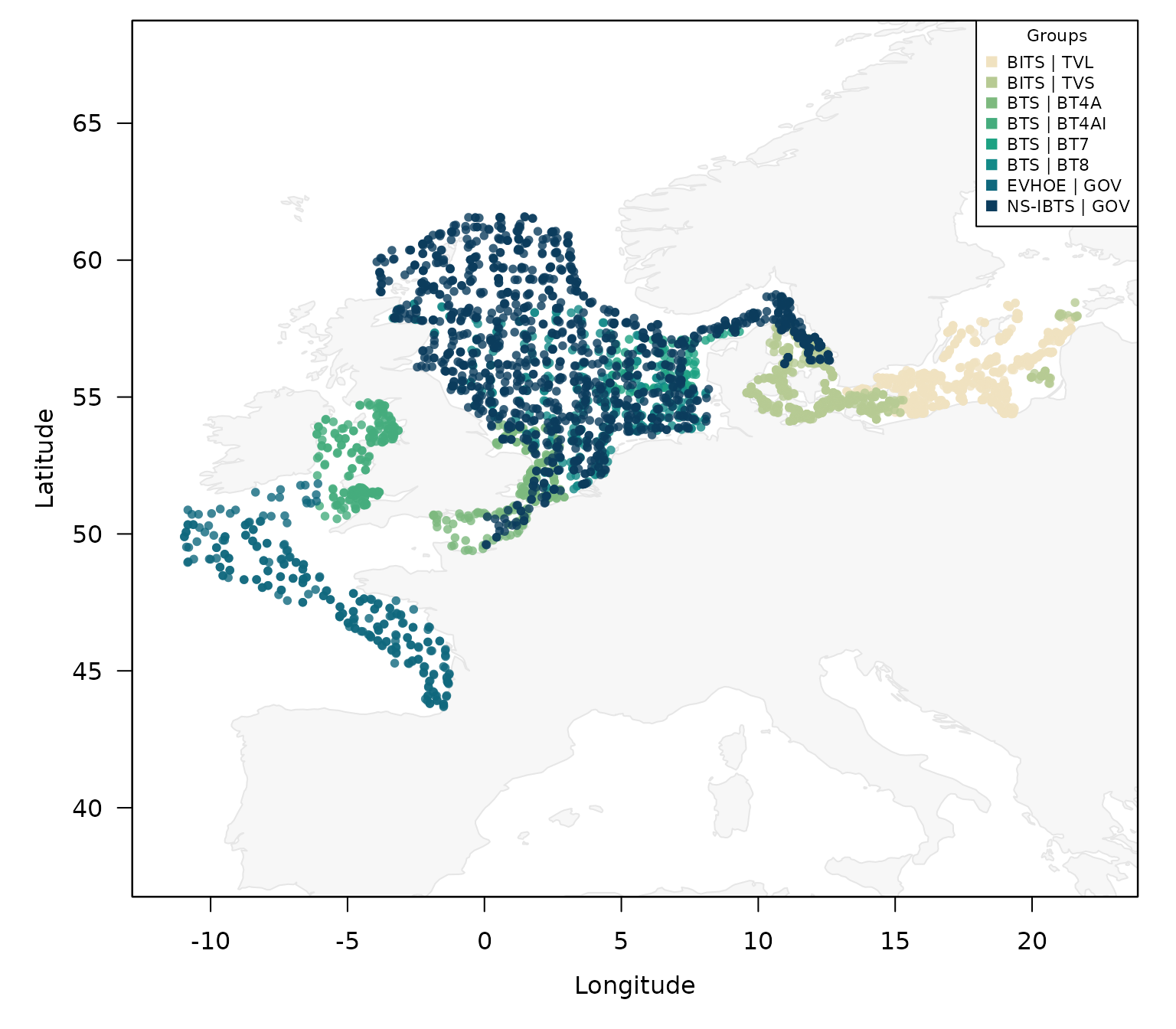
setting the multi_panel argument to TRUE
avoids the overlap and might help interpretation:
plot_datras_overview(mini, by_gear = TRUE,
                     by_survey = TRUE,
                     multi_panel = TRUE)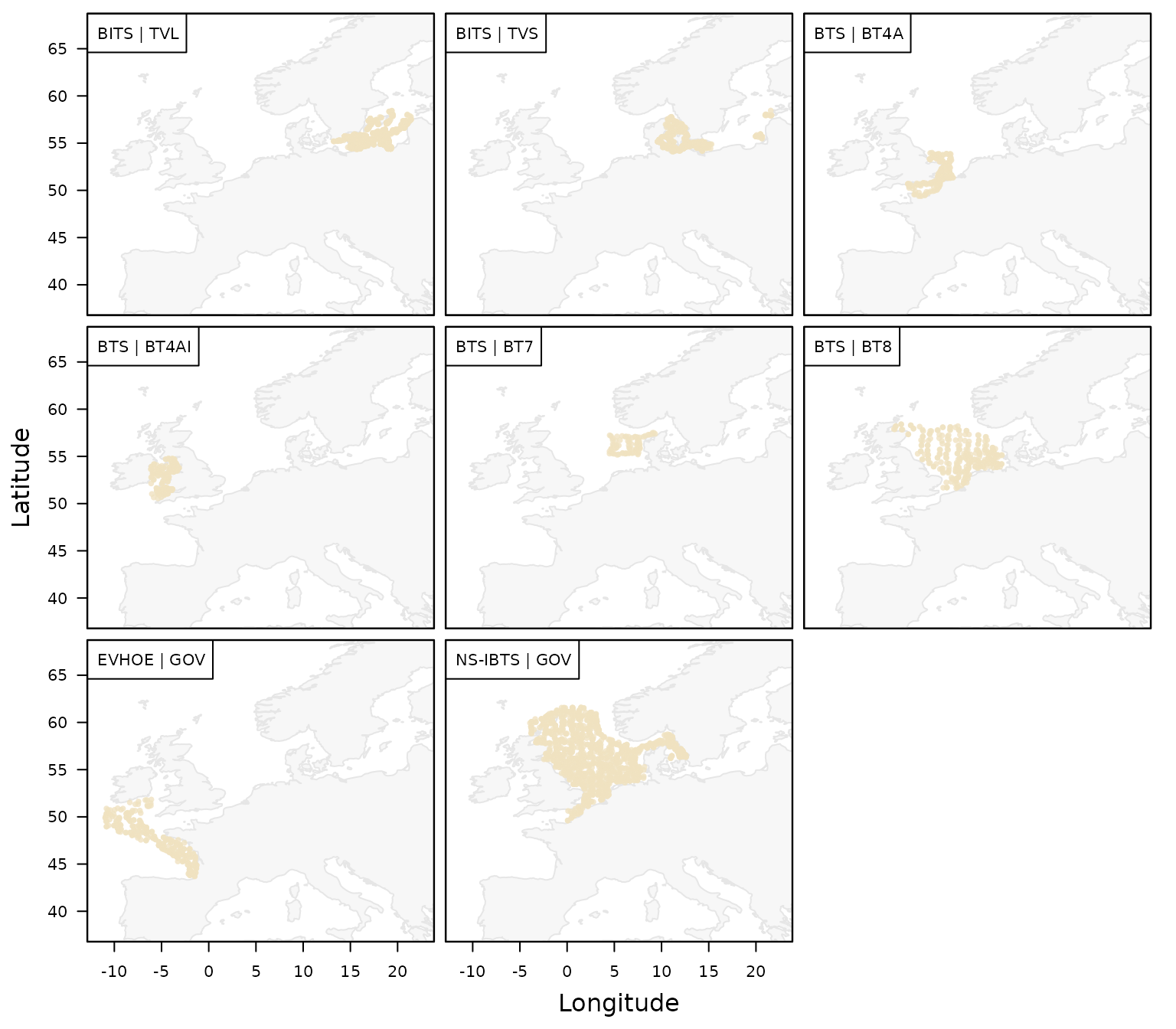
Points vs. gridded
By default, the function plots the actual haul locations, but it
might be preferrable to aggregate the hauls and plot them by ICES
statistical rectangle midpoints by setting the argument
spatial_basis = "statrec":
plot_datras_overview(mini,
                     by_gear = TRUE,
                     spatial_basis = "statrec")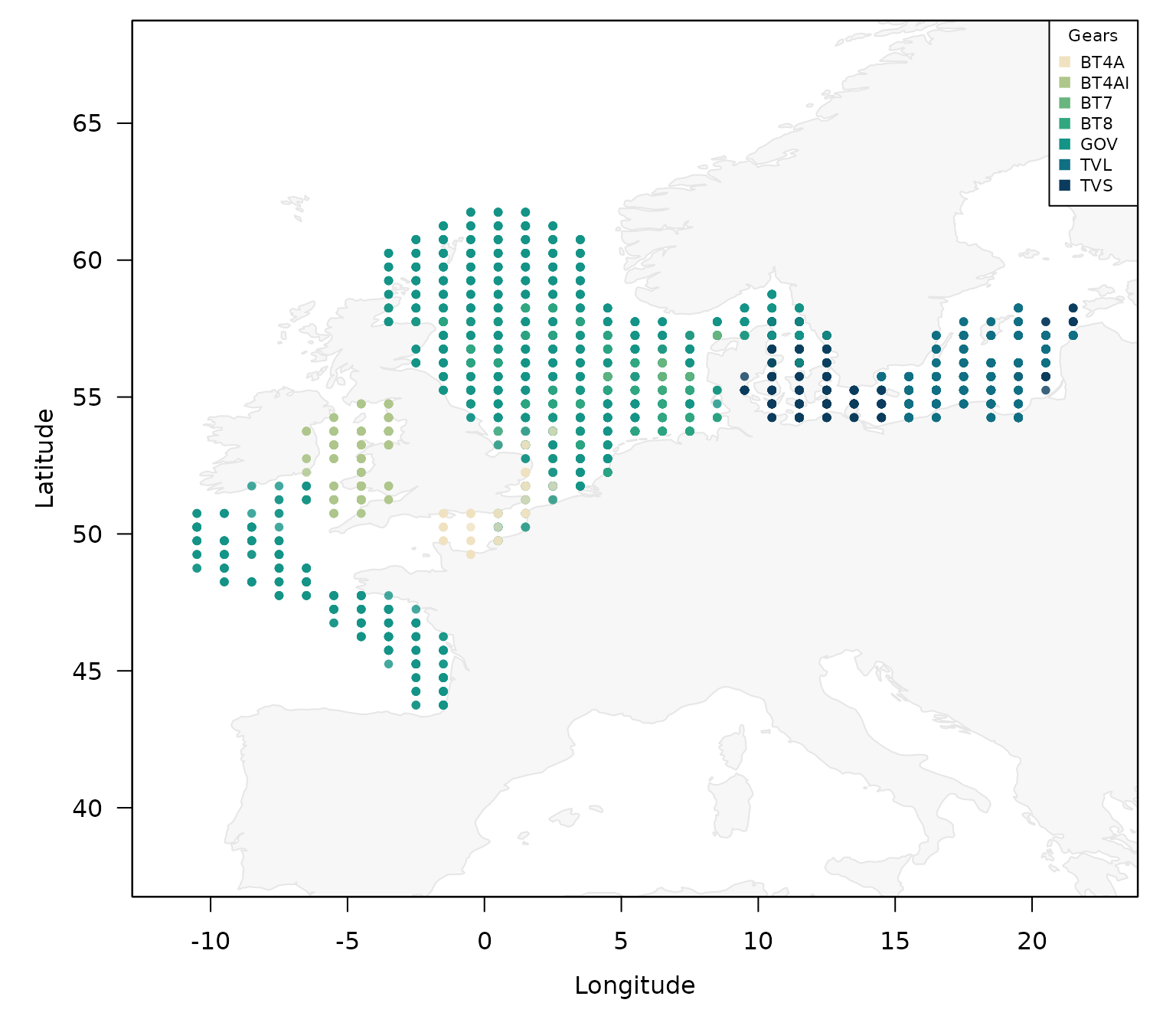
As multiple levels (here gears) might be present in a single ICES
statistical rectangle, by default, the dominant level is assigned to
that rectangle, but the argument grid_group_strategy allows
to change that behaviour.
Instead of plots by statistical rectangle, the function also allows
to plot an gridded image plot. This can be done by setting the
mode = "grid":
plot_datras_overview(mini, by_gear = TRUE, mode = "grid")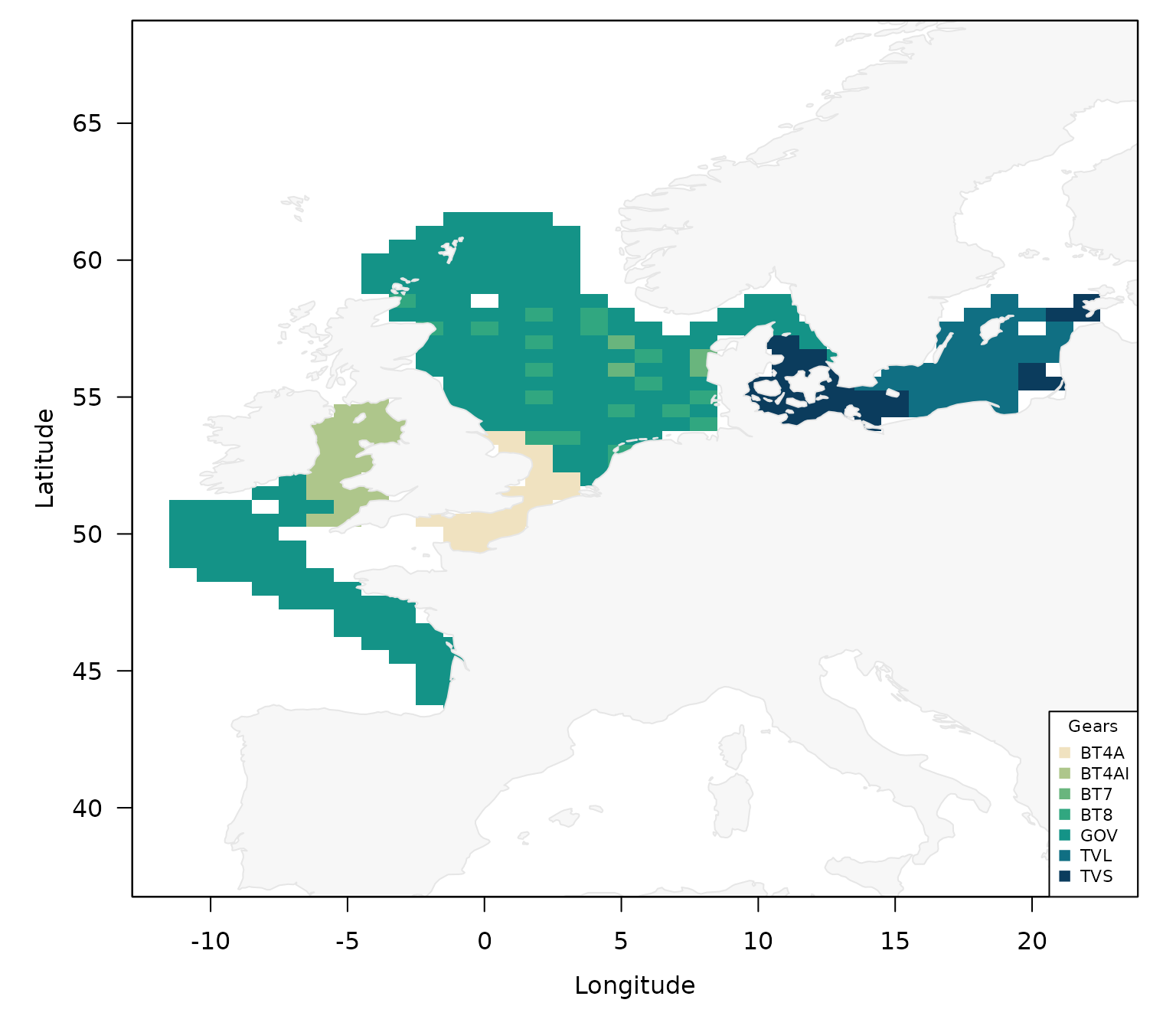
Again, by default the dominant level is shown for each grid cell.
Plotted quantity
While so far, the plots only quantified the absence / presence of a
haul with a specific charactistics in each area, the function also
allows us to plot various quantities by using the metric
argument. We can for example plot the number of hauls with:
plot_datras_overview(mini,
                     mode = "grid",
                     metric = "count_hauls")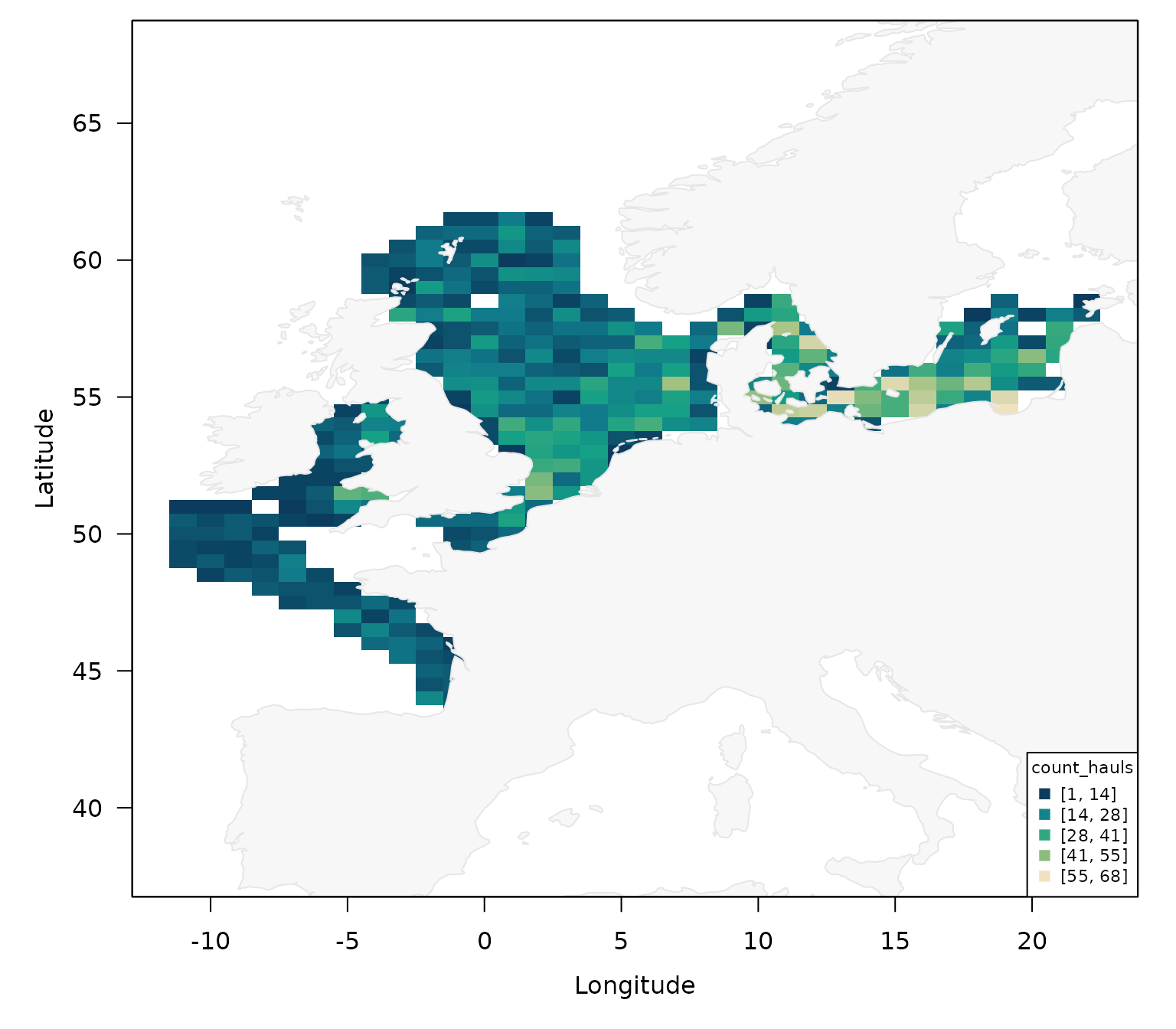
Note that this only works for the gridded mode and if requires the
multi_panels = TRUE if you want to split it by another
variable:
plot_datras_overview(mini,
                     mode = "grid",
                     metric = "count_hauls",
                     by_year = TRUE,
                     multi_panels = TRUE)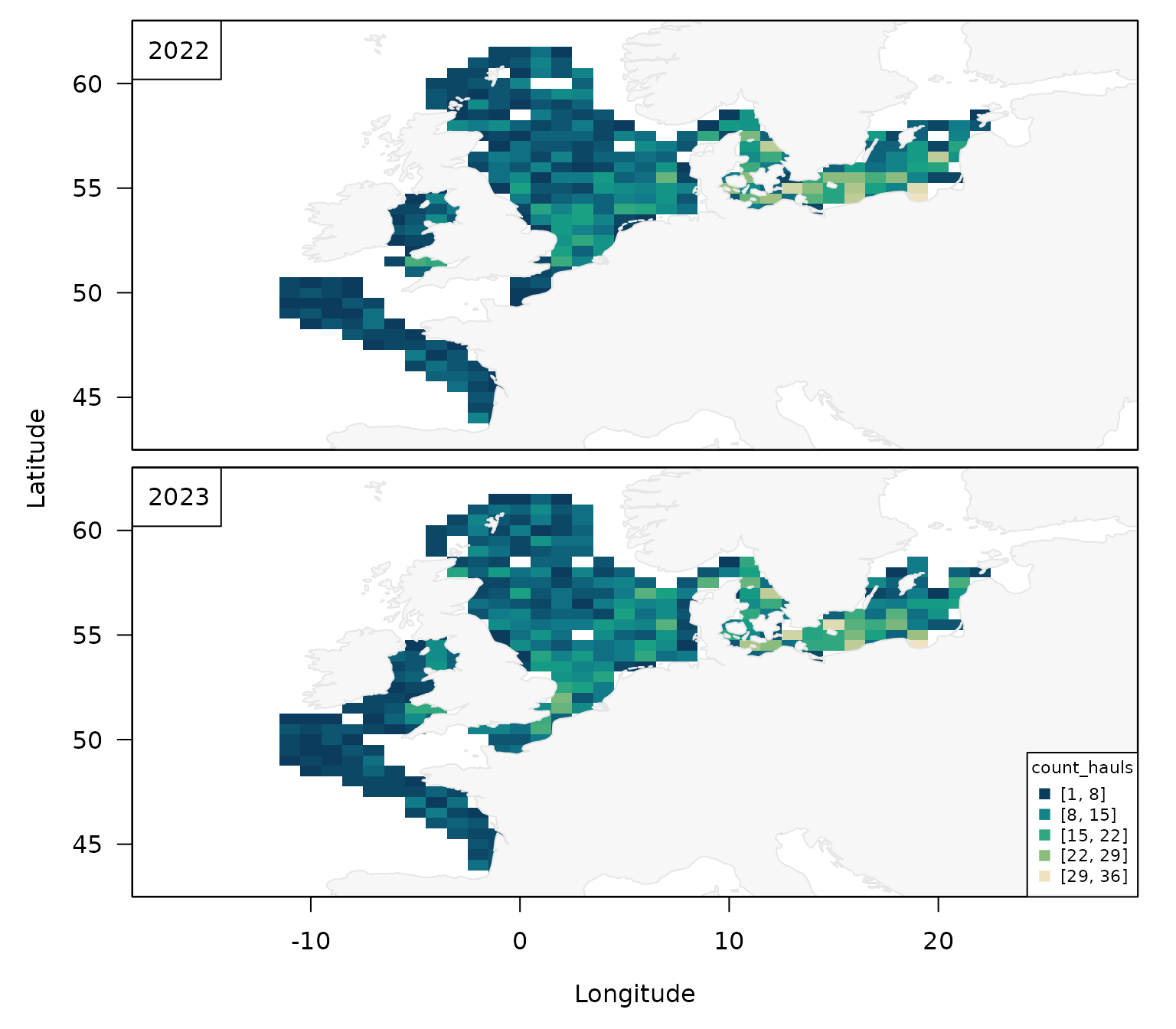
Similarly, you can plot the number of surveys by quarter:
plot_datras_overview(mini,
                     mode = "grid",
                     metric = "count_surveys",
                     by_quarter = TRUE,
                     multi_panels = TRUE)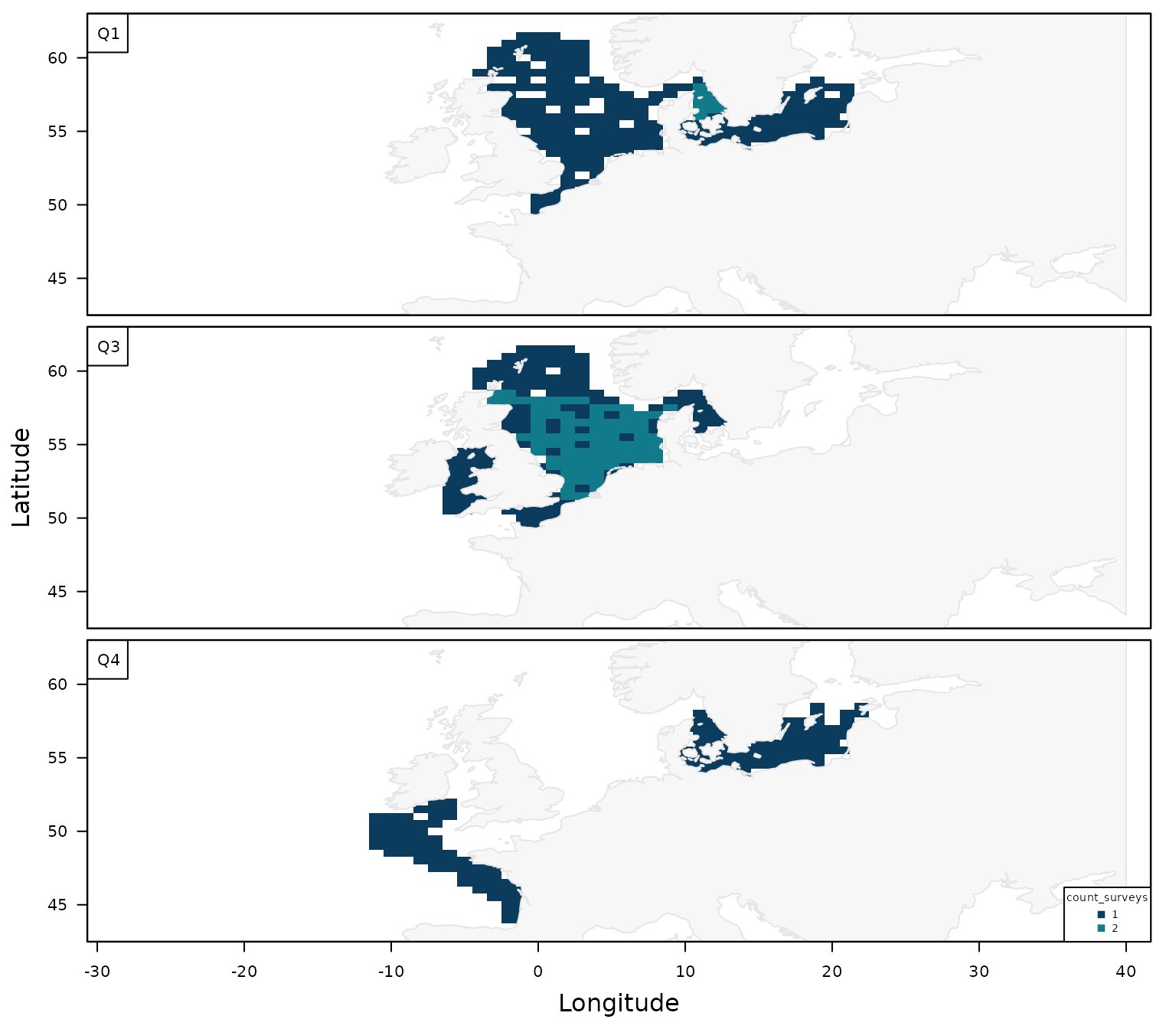
Other options of the metric argument are
"sum" or "mean", but they become more
meaningful when combined with the value_var argument (see
below).
Value / Offset / Transform Workflows
If your DATRAS data set includes quantitative columns (for example a
response and an effort-like offset), you can map transformed values in
both grid and point modes. For example, a quick map of mean
Depth can be created by:
plot_datras_overview(mini,
                     metric = "mean",
                     value_var = "Depth")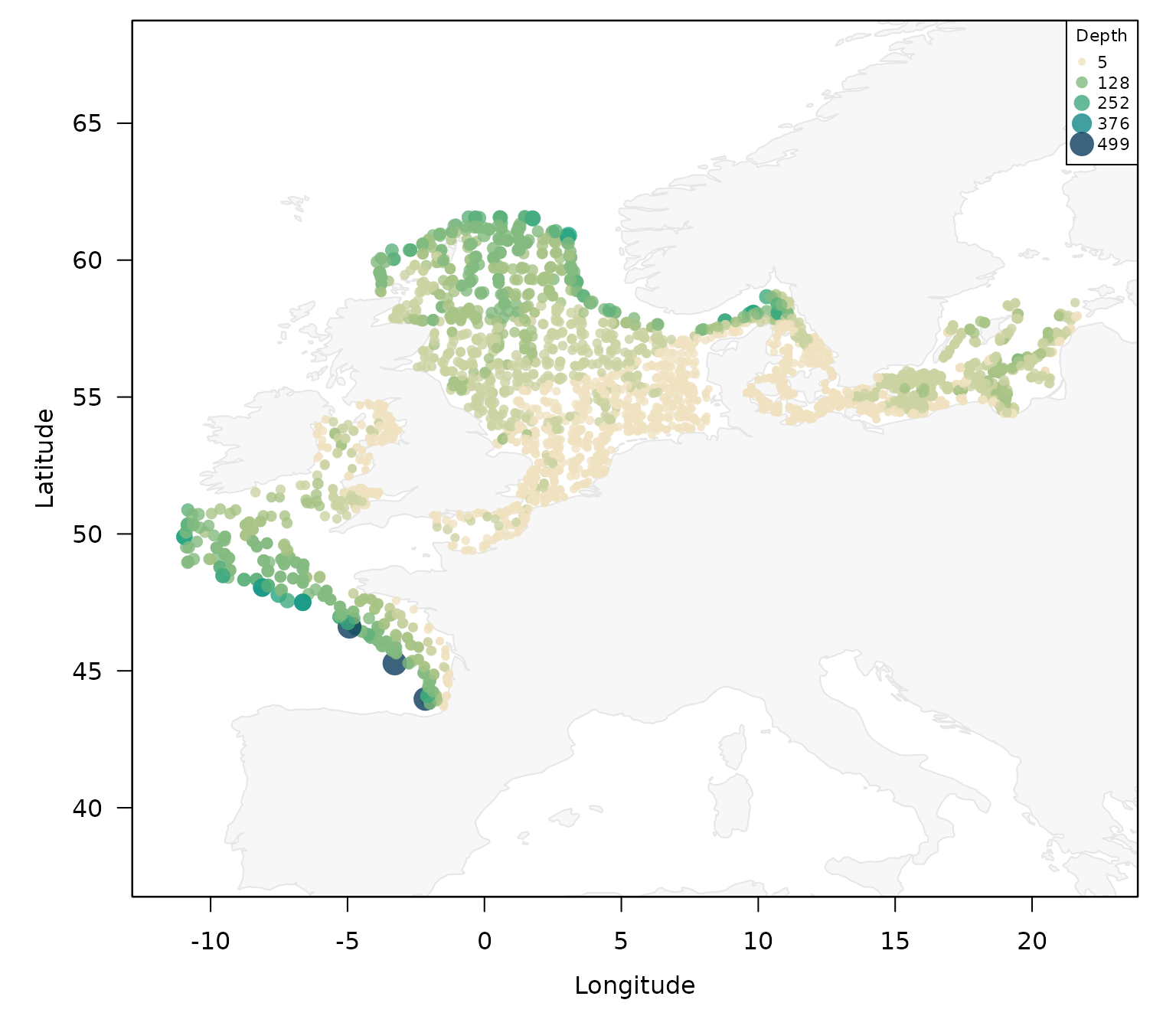
or as gridded version with squareroot transformation:
plot_datras_overview(mini,
                     mode = "grid",
                     metric = "mean",
                     value_var = "Depth",
                     transform = "sqrt")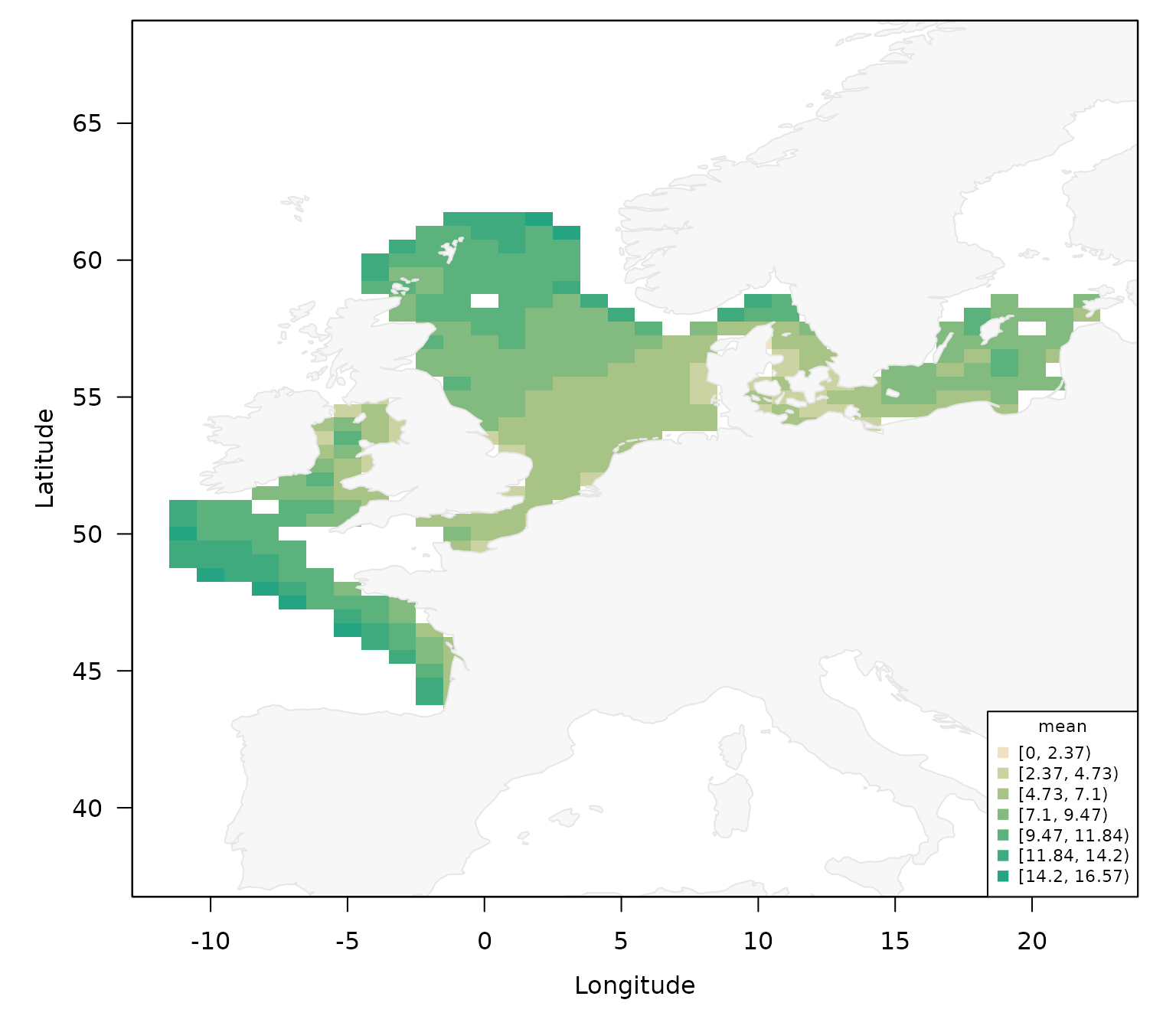
If your data set contains the number of individuals for example by
using the DATRASextra workflow:
dab <- add_total_numbers_by_haul(dab)Then the plotting function can be used to generate an overview of the hauls with the largest number of individuals:
plot_datras_overview(dab,
                     metric = "mean",
                     value_var = "HaulN")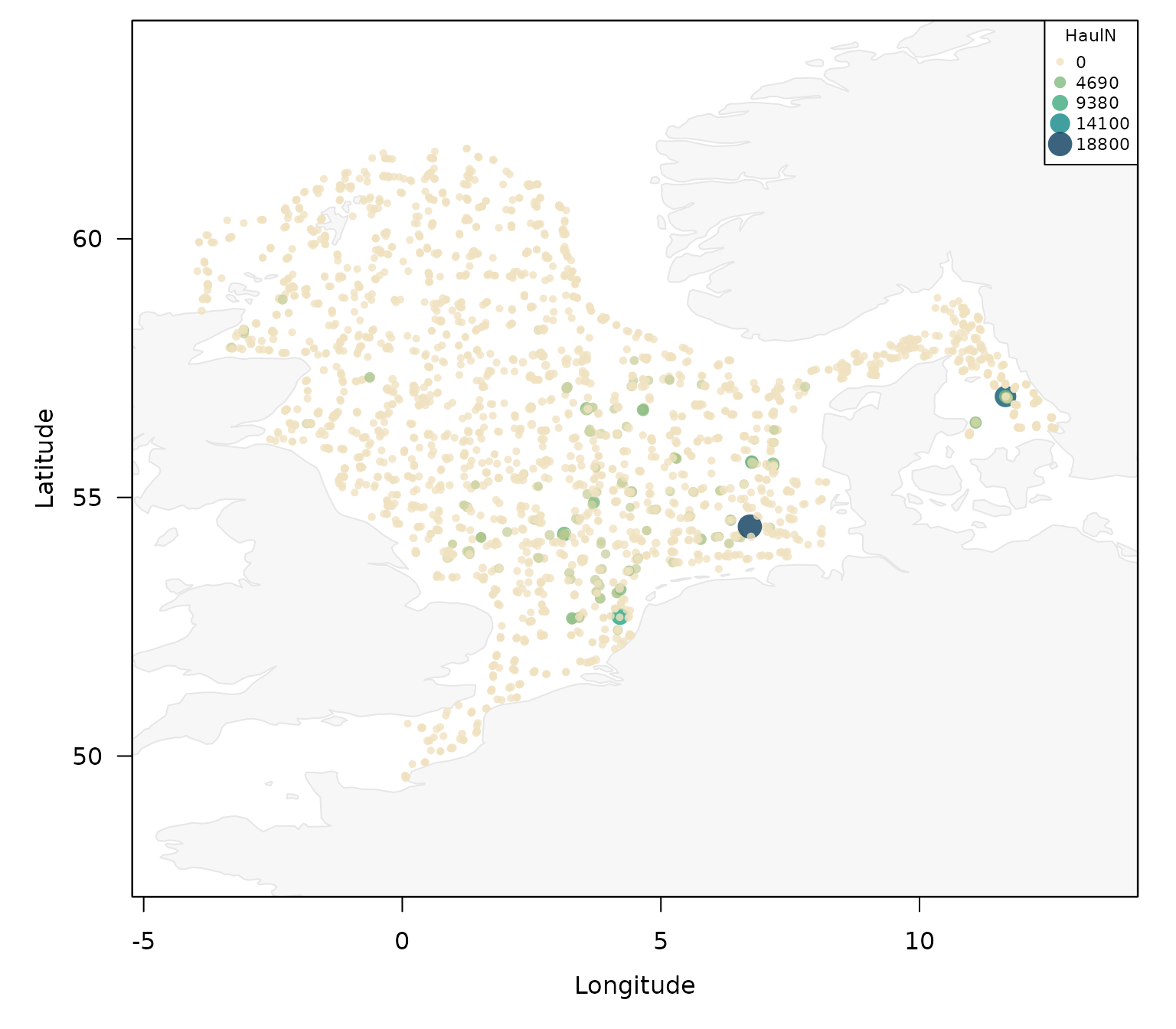
or as a gridded version:
plot_datras_overview(dab,
                     mode = "grid",
                     metric = "mean",
                     value_var = "HaulN")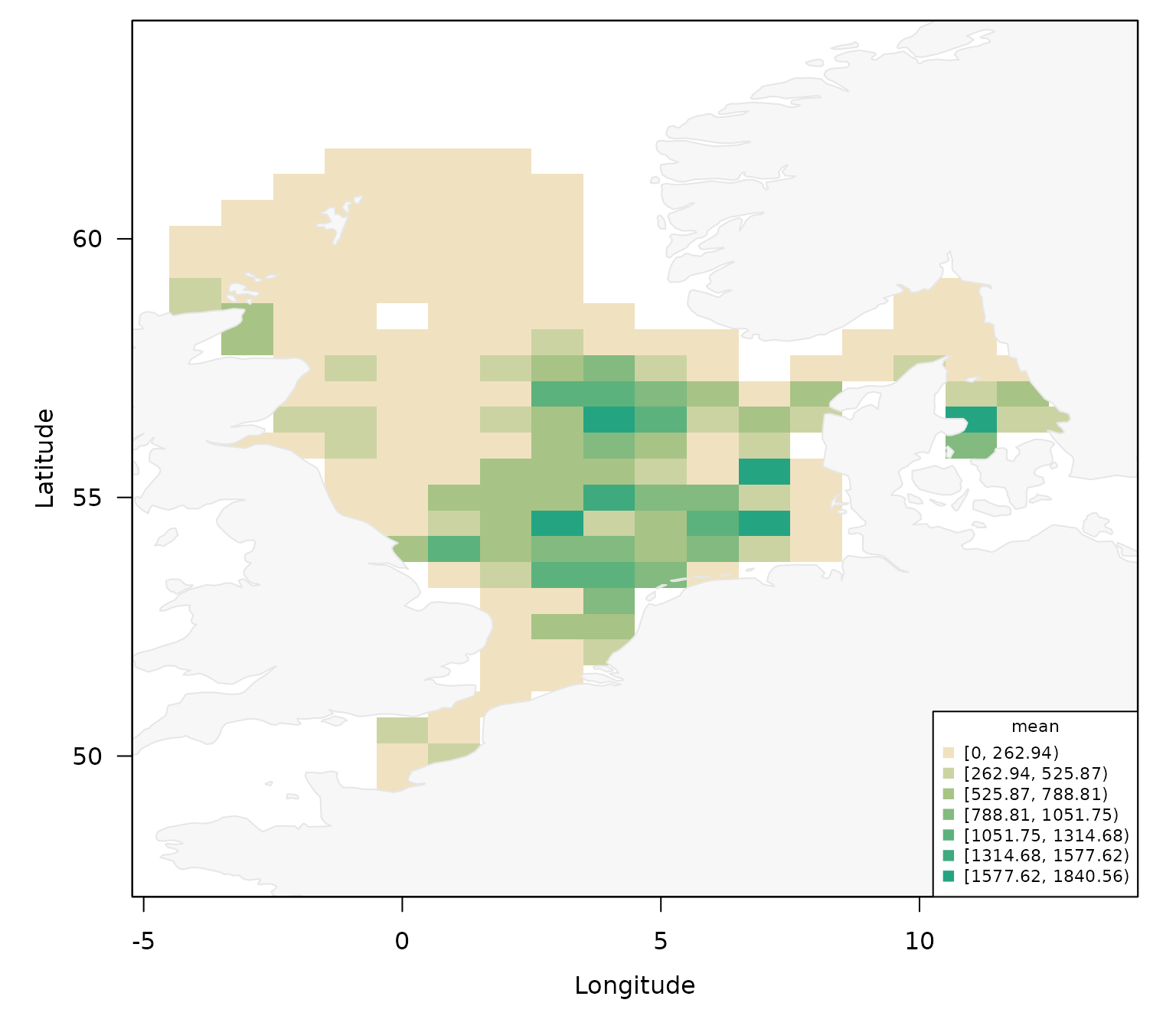
If in addition, a meaningful offset variable is available, such as haul duration or swept area for example by:
dab <- add_swept_area(dab)
#> Swept-area missingness and imputation by survey and gear:
#>   survey gear n_records n_imputed prop_imputed n_NA prop_NA
#>  NS-IBTS  GOV      2660       812        0.305    0       0
Then this information can also be incorporated and the hauls with the largest numbers of individuals per offset can be plotted:
plot_datras_overview(dab,
                     metric = "mean",
                     value_var = "HaulN",
                     offset_var = "HaulDur")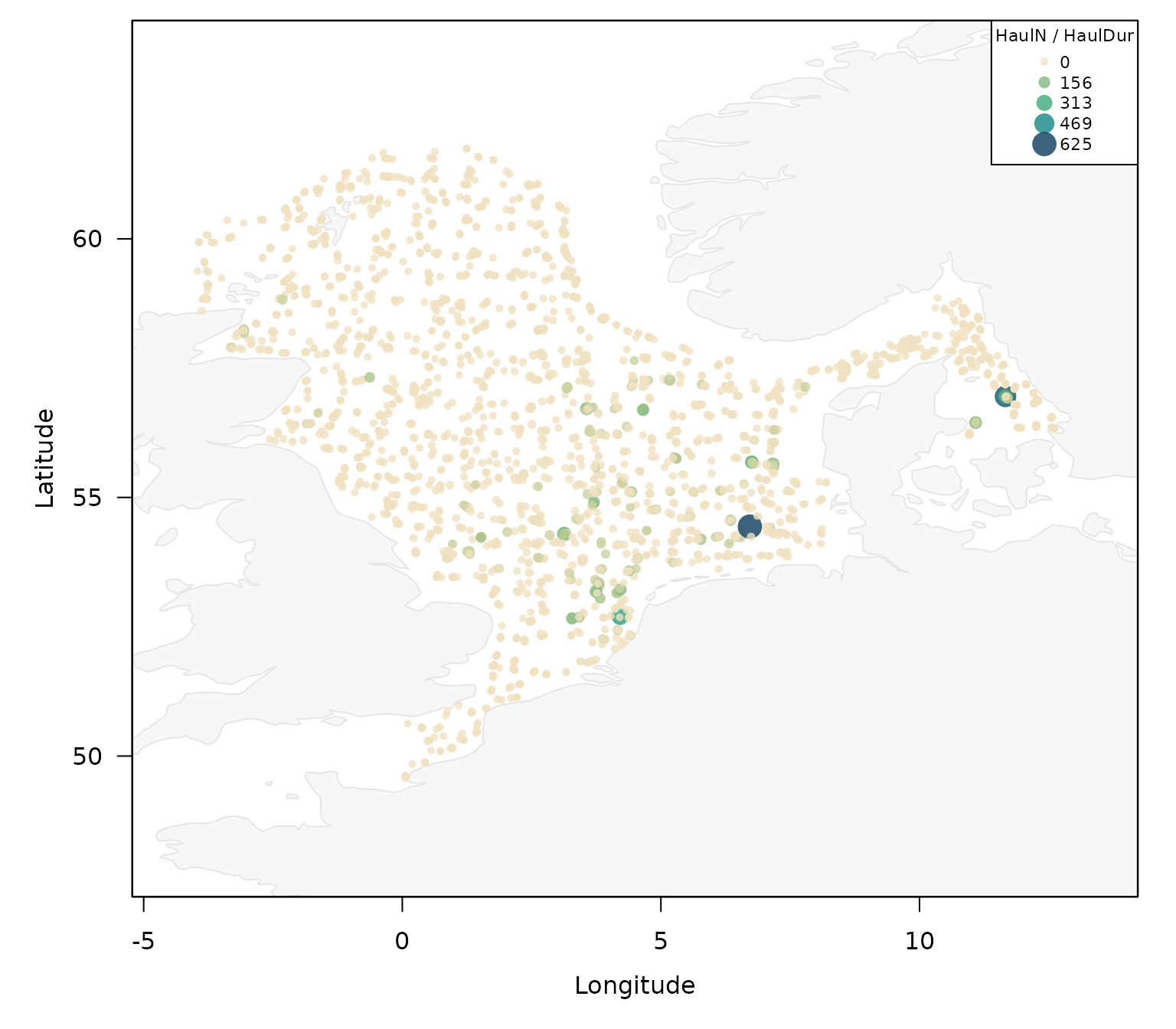
or as a gridded version with swept area:
plot_datras_overview(dab,
                     mode = "grid",
                     metric = "mean",
                     value_var = "HaulN",
                     offset_var = "SweptArea")